


TU results are important for every Tribhuvan University student. Your result helps you know whether you can move on to the next semester or year, apply for higher studies, or plan your next academic step.
Although TU publishes results online, many students are unsure about where to check them or which method to use. This often creates confusion, especially when results are announced.
In this guide, you'll learn how to check your TU result, where to find official result websites, how to view your marksheet, and what to do after your results are published.
Table of Contents
- Overview of TU Examination System
- How to Check TU Results Online
- 1. Official Website
- 2. Using SMS
- 3. College Notice Board
- 4. Visit TU Regional Office for Help
- Understanding TU Marksheet and Grades
- 1. TU Grading Method
- 2. Details Included in Marksheet
- 3. Grading Differences by Program
- What to Do After TU Results
- Re-totaling and Re-checking
- Transcripts and Certificates
- Important Contacts and Support
- 1. Tribhuvan University Examination Control Office, Balkhu
- 2. Regional Examination Control Offices
- 3. Notifications and Official Announcements
- What After Your TU Degree?
- 1. Higher Studies in Nepal
- 2. Study Abroad Options
- 3. Skills for Career Growth
- 4. Job Opportunities After a TU Degree
- Conclusion
Overview of TU Examination System
The examination system of Tribhuvan University is designed to keep exams organized, fair, and properly managed for all students. The Examination Control Office (ECO), located in Balkhu, takes care of important tasks like publishing exam routines, managing exam centers, checking answer sheets, and releasing results. Students should always follow official TU websites and notices to get correct and updated information.
To check results, students need their symbol number from the admit card and sometimes other details. TU does not publish all results at once. Results are released step by step based on program, level, and exam type. Understanding this system helps students stay calm and check results at the right time.
Before checking your result, it is good to know some basic points about how the TU exam system works. This will help you avoid mistakes and confusion.
- ECO: Manages all exam work like routine, answer checking, and result publishing to make sure everything is fair and correct.
- Official Sources: Always check TU’s official website and notices to get true and latest result updates.
- Symbol Number: A unique number on your admit card that you must use to check your result.
- Correct Details: If you enter wrong information, your result may not show on the screen.
- Result Pattern: TU publishes results in parts, so all results are not released on the same day.
- Program Differences: Different programs like BA, BBS, BSc, and BEd have different result dates.
- Exam System: Annual and semester exams have different schedules and result times.
How to Check TU Results Online
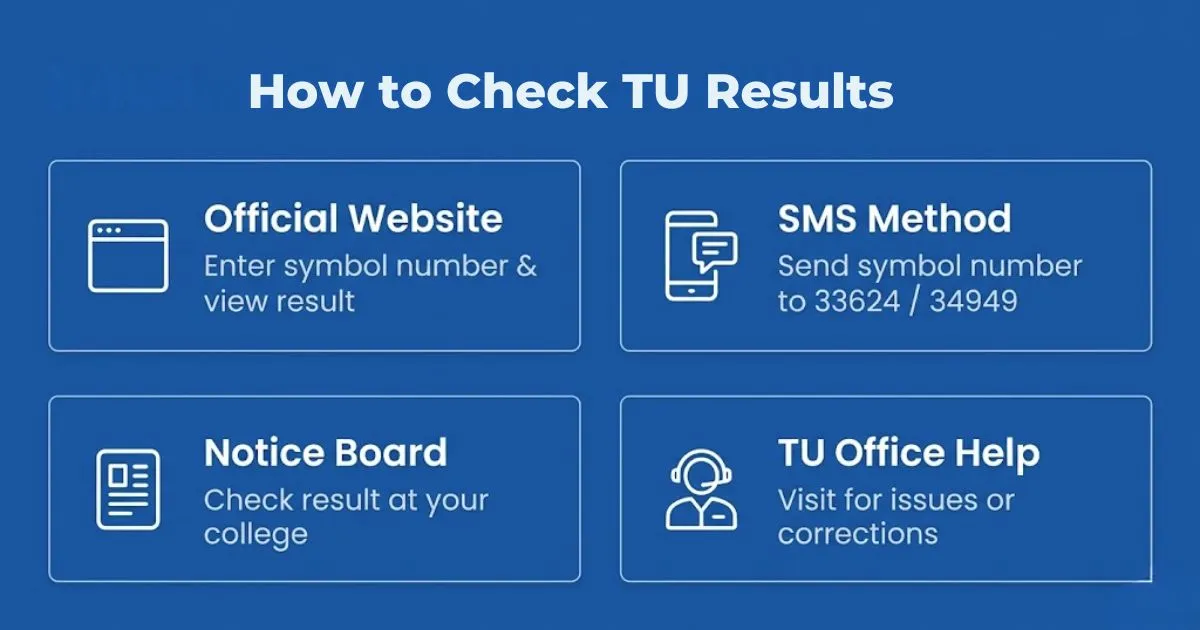
Once TU results are published, students can check them through the official TU websites, SMS services, or their college and campus notice boards. These options make it easy to access results from anywhere.
1. Official Website
This is the most trusted way to check your result with full details like marks and GPA. It is updated directly by TU, but the site may be slow during busy times.
Key Steps:
- Open your browser and visit result.tuexam.edu.np or exam.tu.edu.np.
- Select your faculty, level, and exam year from the options.
- Enter your symbol number exactly as written on your admit card.
- Check all details carefully before submitting.
- Click on “View Result” to see your result instantly.
- Your marks, GPA, and result status will appear on the screen.
- Save or print the result for temporary use.
2. Using SMS
This option is helpful when internet access is limited or the website is not working properly.
Key Steps:
- Open your mobile messaging app.
- Type your symbol number in the required format (example: 4BBS Symbol Number)
- Send it to 33624 or 34949.
- Wait for a reply message with your result status.
- SMS usually shows only basic result information.
3. College Notice Board
Colleges and campuses also display results after they are officially published by Tribhuvan University. This is useful if you cannot access the website.
Key Steps:
- Visit your college or campus after the result is announced.
- Check the notice board where results are posted.
- Find your symbol number in the list.
- Confirm your result directly from the notice.
4. Visit TU Regional Office for Help
If your result is missing or there is any issue, you can visit a TU office for support.
Key Steps:
- Go to the nearest TU regional examination office.
- Provide your symbol number and exam details.
- Ask about your result or correction process.
- Follow the instructions given by the office staff.
Understanding TU Marksheet and Grades
1. TU Grading Method
Tribhuvan University uses both GPA and percentage systems based on the course and level. In semester-based programs, results are usually shown in GPA ranging from 0.0 to 4.0. In annual programs, results are shown in percentage marks. Each grade or percentage shows how well a student has performed in exams. This grading system is important when applying for higher studies, scholarships, or jobs, as most institutions ask for GPA or percentage during the application process.
2. Details Included in Marksheet
The online marksheet provides all the important academic details of a student. It includes the student’s name, symbol number, campus name, program, subject-wise marks or grades, total GPA or percentage, and final result status such as pass or fail. Students should carefully check all this information after viewing the result. If there is any mistake in name, subject, or marks, it should be reported to the campus or TU office for correction.
3. Grading Differences by Program
Different programs under TU may follow slightly different grading systems. Science and technical programs often include practical and lab marks along with theory exams. Management and humanities programs mainly focus on written exams, while education programs may include teaching practice marks. Because of these differences, students should understand how their specific program calculates final marks or GPA.
What to Do After TU Results
Re-totaling and Re-checking
If a student thinks the marks shown in the result are not correct, Tribhuvan University gives the option to apply for re-totaling or re-checking. Re-totaling means checking the total marks again to see if any mistake happened while adding the marks. Re-checking means checking the answer sheet to confirm the marks given are correct. Students need to fill out an application form, pay a small fee, and submit the request within the given time. This process can take a few weeks, so students should wait for the final update.
Transcripts and Certificates
After the results are final, students often need official transcripts and certificates for higher studies or job purposes. These documents are provided by TU through the campus or official offices. To get them, students must apply by submitting the required form, documents, and fees. The online result is only for checking information and cannot be used for official work. Official transcripts and certificates are important because they prove your academic record for future use.
Important Contacts and Support
1. Tribhuvan University Examination Control Office, Balkhu
The Tribhuvan University Examination Control Office in Balkhu is the main office that handles all TU exams and result work. This office publishes exam results, checks marks if students apply for re-checking, and provides official documents such as transcripts and certificates. If a student cannot find their result online, sees a mistake in their marks, or faces a long delay, this office is the right place to ask for help. Students can contact the office by calling 01-4333849 or 01-4332717. It is best to call during office hours and keep your symbol number, program name, and exam year ready so the staff can help you quickly.
2. Regional Examination Control Offices
Tribhuvan University also has examination control offices in different regions of Nepal. These offices help students who live outside Kathmandu and cannot easily travel to Balkhu. Students can visit the nearest regional office to ask about result status, mark correction process, transcripts, or certificates. These offices give basic guidance and help students understand what steps to follow next. Using regional offices saves time, travel cost, and makes it easier for students from remote areas to get support.
3. Notifications and Official Announcements
Students should regularly check official TU websites and their college or campus notice boards. Important updates such as result publish dates, re-checking notices, transcript distribution, and exam-related news are shared through these official sources. By following official announcements, students receive correct and updated information on time. This helps avoid confusion caused by rumors, unofficial websites, or social media posts and keeps students informed about all TU exam and result activities.
What After Your TU Degree?
1. Higher Studies in Nepal
Many students who finish their degree from Tribhuvan University decide to study more in Nepal. They often join Master’s or MPhil programs in subjects like management, education, science, and humanities. Your TU result is important because colleges check your marks or GPA before giving admission. Students with good results may also get scholarships. Studying in Nepal is a good option for students who want lower fees and want to stay close to their family.
2. Study Abroad Options
After completing a TU degree, students can also study in other countries. Many universities outside Nepal accept TU degrees. Students need to submit official transcripts and show their marks clearly during the application process. Some universities may ask to convert grades into their system. Good TU results help students get admission more easily and may also help in getting scholarships.
3. Skills for Career Growth
Along with a degree, learning extra skills helps students get better jobs. Many TU graduates join training courses, short classes, or certification programs like HR, Digital Marketing and Accounting. Skills like computer use, communication, and technical knowledge are useful in many jobs. Students who learn practical skills along with their studies often find more job options and do better in their careers.
4. Job Opportunities After a TU Degree
Many graduates choose to enter the job market after completing their degree from Tribhuvan University. TU is recognized across Nepal, and graduates can apply for both private and government jobs depending on their field of study. Management students can find opportunities in banks, finance companies, and corporate offices. Education graduates can work as teachers in schools and colleges, while science and IT students can apply for technical, research, and IT-related positions. Humanities graduates may explore careers in NGOs, INGOs, media, and administrative sectors.
Students who are interested in government careers can prepare for exams conducted by the Public Service Commission Nepal (Lok Sewa Aayog), which offers stable and long-term career opportunities. For private sector jobs, graduates can search and apply through online job platforms like NecoJobs, where various job vacancies are regularly updated. Most fresh graduates begin with entry-level positions and gradually grow in their careers by gaining experience and improving their skills.
Conclusion
Checking TU Results does not need to feel confusing or stressful. By using only official TU websites, following the correct steps, and checking your marks carefully, you can understand your result clearly. Always make sure your personal details and marks are correct, and take action on time if you notice any problem. Knowing your result helps you decide what to do next in your studies.
To learn more about education, exams, and career options, explore other helpful guides on our website. These resources can help you plan your studies, choose the right career path, and make better decisions for your future.