

Check NEB Class 12 result and marksheet in Nepal easily via SMS and online. Simple step-by-step guide to view your result quickly and accurately.
Class 12 results are one of the most important milestones for students in Nepal. Your result can affect what you do next, whether it's applying to college, preparing for entrance exams, or deciding on a career path.
When the results are published, thousands of students rush to check them at the same time. That's why it's helpful to know the fastest and easiest ways to access your NEB Class 12 result without any confusion.
In this guide, you'll learn all the available methods to check your Class 12 result and view your marksheet in Nepal, including official websites, SMS services, mobile apps, IVR calls, and more. No matter where you are, these options will help you get your result quickly and easily.
Table of Contents
- How to Check NEB Class 12 Result in Nepal?
- 1. Official Websites
- 2. SMS Services
- 3. IVR and USSD Codes
- 4. Mobile Applications
- Common Problems and Solutions
- Grade Increment Exams
- What to do after Class 12 in Nepal?
- 1. Exploring Higher Education Opportunities
- 2. Identifying Potential Career Paths
- 3. Exploring Job Opportunities
- 4. Joining Skill-Based Training Courses
- Conclusion
How to Check NEB Class 12 Result in Nepal?
To check your NEB Class 12 result in Nepal, you can visit official websites neb.gov.np and neb.ntc.net.np, or use SMS services, Nepal Telecom’s IVR/USSD codes, and mobile apps like Khalti and eSewa. Make sure to keep your symbol number and date of birth ready to view your result and marksheet quickly. Below are the complete different ways to check the NEB Class 12 Result 2083 and view your marksheet.
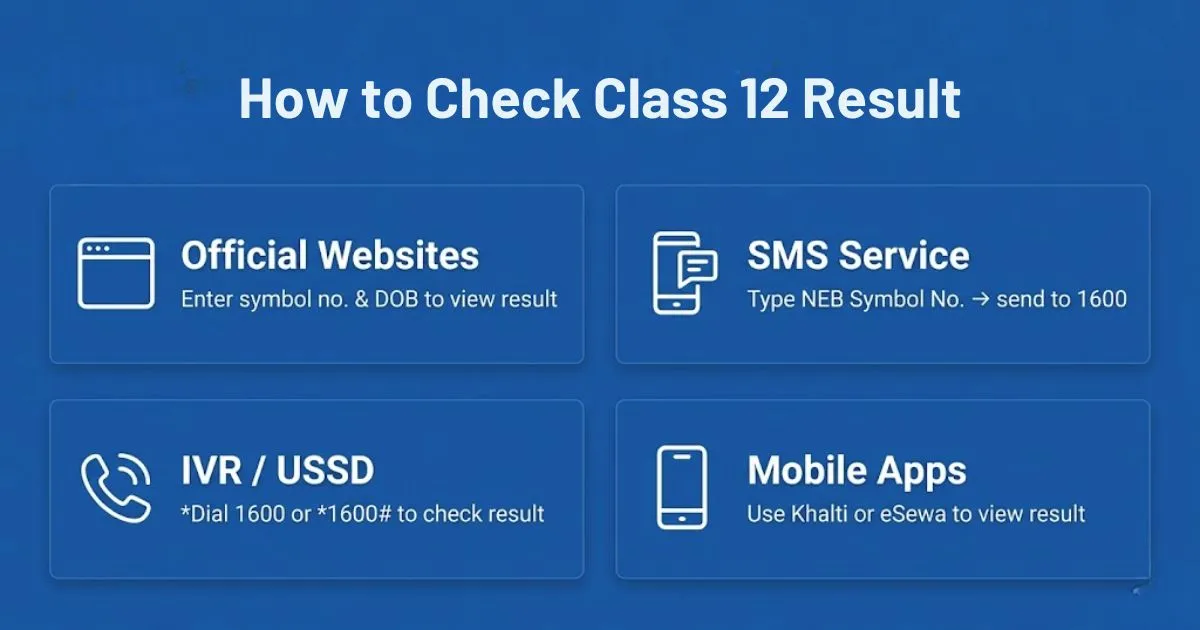
After the results are published, students can use different methods to check their Class 12 results and view their marksheets:
1. Official Websites
The most trusted way to check your Class 12 NEB result is through official websites. Follow these steps:
- Visit the official result websites: neb.gov.np and neb.ntc.net.np
- Find and click on the “Class 12 Result” link
- Enter your symbol number and date of birth
- Click on submit
- Your result and marksheet will be displayed on the screen
You can download or take a screenshot of your result and marksheet for future use. If the website is slow due to heavy traffic, try checking at a different time or use other methods like SMS or mobile apps.
2. SMS Services
SMS is a quick way to check your Class 12 result, especially if you don’t have internet access. Follow these steps:
- Open your mobile message box
- Type: NEB [Your Symbol Number] (Example: NEB 12345678)
- Send it to 1600
- You will receive your result and GPA by SMS
Make sure your symbol number is correct to avoid errors. This method is useful on result day when websites are busy.
3. IVR and USSD Codes
IVR and USSD are good options to check your Class 12 results without internet. These methods are helpful when websites are slow or not working.
IVR (Call Service):
- Dial 1600 from your phone
- Follow the voice instructions
- Enter your symbol number
- Listen to your result
This method is useful if you have slow or no internet connection.
USSD Code:
- Dial *1600#
- Follow the instructions on screen
- Enter your symbol number
- Your result will appear on your phone
Both options are easy to use and help you check your result quickly, even during busy result time or in areas with weak internet.
4. Mobile Applications
You can also check your Class 12 result using mobile apps. This method is useful when websites are slow or not working. Popular apps like Khalti and eSewa provide easy access to results.
Using Khalti:
- Open the Khalti app
- Go to the NEB Result section
- Enter your symbol number and date of birth
- View your result and marksheet
Using eSewa:
- Open the eSewa app
- Go to the Education / NEB Result section
- Enter your symbol number and date of birth
- Check your result
You can also save or take a screenshot of your result for future use. These apps help you check your result quickly and avoid website traffic on result day.
Common Problems and Solutions
On result day, students may face technical issues while checking their NEB Class 12 results due to high traffic on websites and other services. These issues are usually temporary and can be resolved easily by waiting for some time or using alternative methods. Some of the common issues students may face include the following:
- Slow or not loading website: Result websites may become slow or fail to load due to high traffic on result day. Try again after some time or check during off-peak hours like early morning or late at night.
- Server errors: Sometimes the result page shows errors because of server overload. Refresh the page or wait a few minutes before trying again.
- Website not working: If the official website is not working, use alternative methods such as SMS, IVR, USSD, or mobile apps like Khalti and eSewa.
- Delayed SMS or IVR response: SMS or IVR services may be slow due to heavy user traffic. Wait for some time and try again instead of sending repeated requests.
- Missing details issue: Always keep your symbol number and date of birth ready before checking your result to avoid mistakes and save time.
- Method failure: If one method does not work, try other available options to successfully access your result without delay.
- Result saving: After checking your result, download or save a copy for future use such as admission or further studies.
Grade Increment Exams
If you are not satisfied with your marks, you can also apply for grade increment exams to improve your results. These exams allow you to retake selected subjects and increase your grades. You must apply within the deadline set by NEB and follow the required process to be eligible.
Improving your grades through these exams can help you get better college admission, scholarships, and more opportunities in your academic journey. It is important to stay updated with NEB announcements for exam dates, application process, and other important details.
What to do after Class 12 in Nepal?
After checking your results, it’s important to plan ahead. Many students start preparing for college admissions, entrance exams, or skill-based training. Having your digital mark sheet handy can help during application processes. The NEB exams mark a critical transition point, so use the results to make informed decisions about your education and career path. Always keep your symbol number and date of birth ready for quick access to your results.
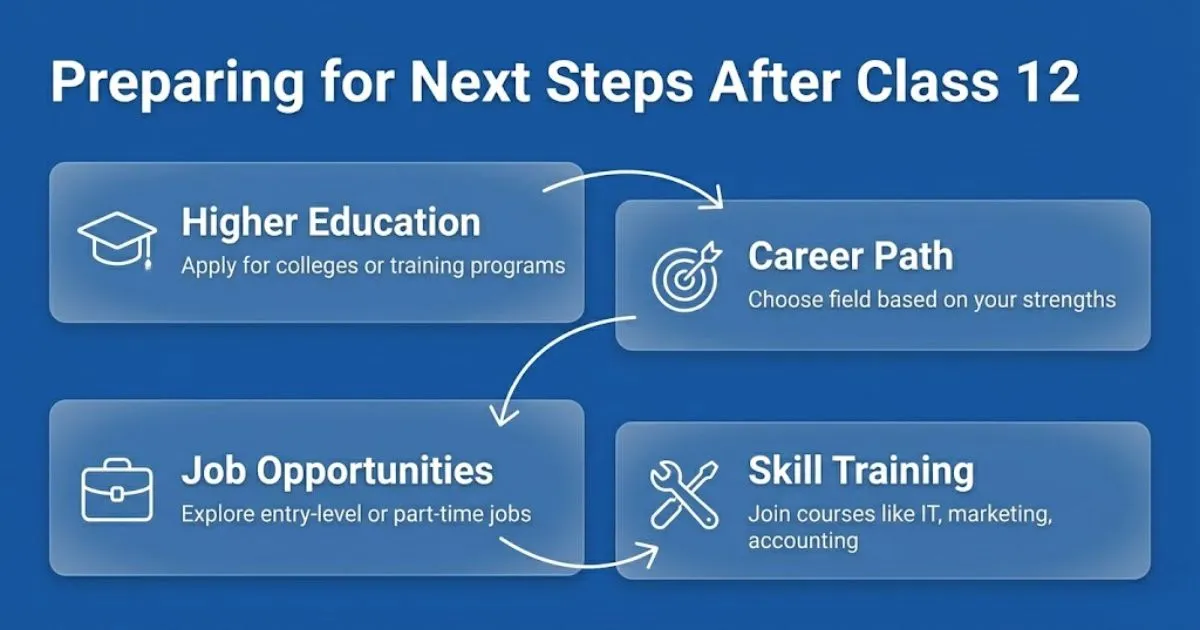
1. Exploring Higher Education Opportunities
Once your Class 12 results are out, you can apply for colleges or training programs. The results show your readiness for higher studies and help you explore new academic options. Though checking results can be stressful during busy times, getting timely access is key to planning your next educational steps smoothly.
2. Identifying Potential Career Paths
Your Class 12 result plays a big role in deciding your career direction. Whether you want to study engineering, business, humanities, or technical courses, your marks help assess your strengths and areas to improve. Getting your results early allows you to start entrance exam preparations or skill training without delay.
3. Exploring Job Opportunities
Some students prefer gaining work experience before continuing their studies. You can apply for entry-level or part-time roles such as administrative assistant, customer service representative, receptionist, junior technician, or sales and marketing trainee. To find suitable openings in Nepal, students can explore platforms like Necojobs, where various job vacancies across different industries are regularly posted. These positions help you develop communication skills, practical knowledge, and professional confidence
4. Joining Skill-Based Training Courses
If you want to strengthen your practical abilities, consider enrolling in short-term training programs like computer programming, digital marketing, HR, graphic design, accounting (Tally), hospitality management, or technical and vocational certifications. These courses enhance employability and prepare you for both further studies and job opportunities.
|
To boost your future career opportunities after class 12, you can also consider joining professional training programs at NecoJobs.
|
Conclusion
Once the NEB Class 12 results in Nepal are announced, students can easily check their results and marksheets through official websites, SMS, mobile apps, IVR, and USSD services. Having your symbol number and date of birth ready can make the process quicker and easier.
If one method is unavailable due to heavy traffic, simply try another option. We wish all students the very best with their results and their next academic journey.